August Release Overview:
In August, we introduced updates focused on giving you more control over compliance and improving how you track and progress new business opportunities in Firefish, including:
✅ Custom candidate compliance dropdowns – create, rename, and manage your own compliance dropdowns directly from People Configuration > Compliance Details.
✅ Inline dropdown management – add, edit, and delete compliance dropdown items in the side panel, with new dropdowns working seamlessly across candidate profiles as before.
✅ Business Development: Leads – create, manage, and close leads from company and contact profiles or the main Leads page, capturing key info like company, contact, type, and stage.
✅ Streamlined lead closing – mark leads as Qualified to generate a new job with key details pre-populated, or Disqualified with a required reason for better insight.
✅ Update Company Status from Leads – change a company’s status directly from the lead view, automatically updating the linked company profile.
Read on for further details on all August releases.
Integrations
Candidate Compliance Dropdown Improvement
Version(s): Basic/Professional/Enterprise
Clients can now create their own candidate compliance dropdowns within the “People Configuration > Compliance Details” side panel.
The request dropdown button has been removed and replaced with the “Dropdown Name” text box. Users can search and select their existing compliance dropdowns or create a new one provided it does not have a matching name to an existing compliance dropdown.
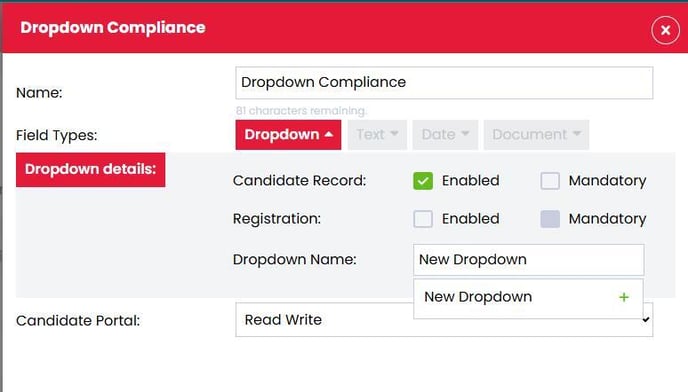
Users can add, edit, or even delete dropdown items within the side panel as well as edit the name of the dropdown
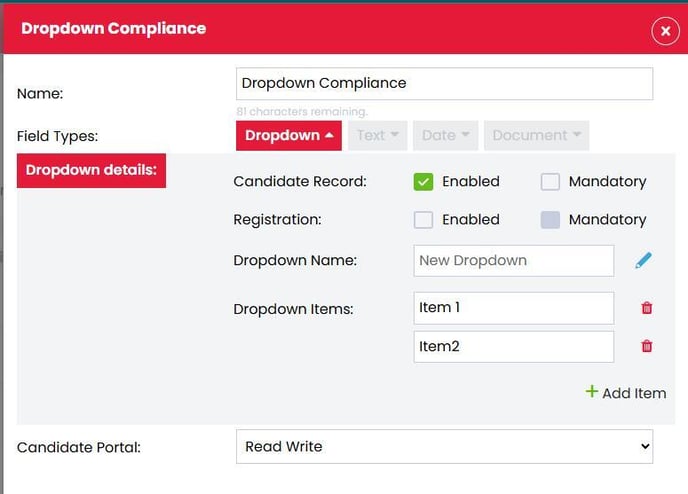
Once new compliance is created, it will continue to work as it already does when appearing in places like the “Details” tab on a candidate profile.
Find out more
Web
Business Development: Leads
Version(s): Basic/Professional/Enterprise
Users are now able to track new opportunities by creating, managing, and closing leads directly from Firefish.
Leads can be created and updated directly from the contact or company profile, or from the main Leads page in the Opportunities menu.
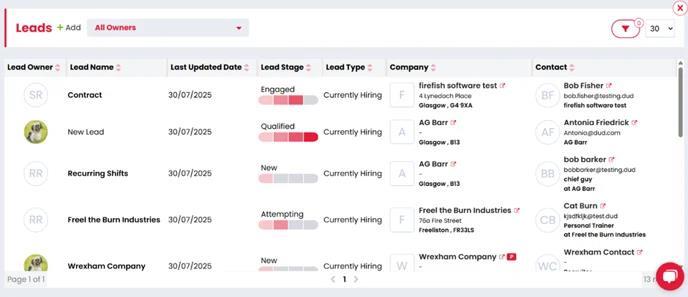
When a new lead is added, users can define the key information such as the lead name, the associated company and contact, and the type of lead. Once the lead has been created, the stage can be updated to reflect where in the pipeline the lead currently is.
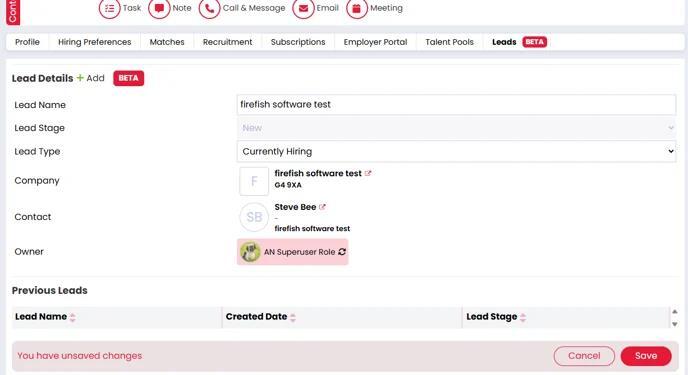
To bring a lead to a close, users will simply change the status to “Qualified” or “Disqualified” depending on the outcome. Marking the lead as “Qualified” will close the lead and take the user to the new job page, with any relevant details from the lead already populated. Marking a lead as “Disqualified” will request a reason before closing to ensure the relevant details are recorded.
Find out more
Update Company Status from Leads
Version(s): Basic/Professional/Enterprise
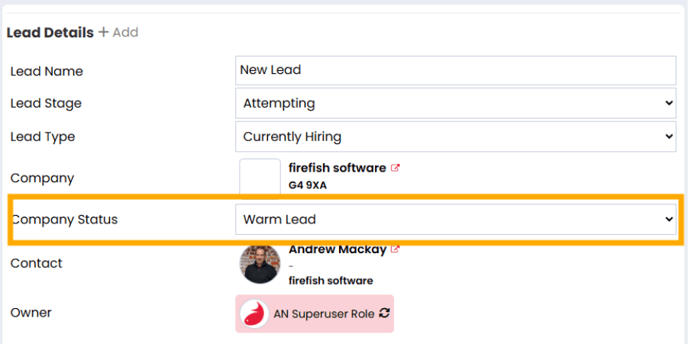
We’ve added Company Status as a dropdown to the existing leads display, allowing users to update a company’s status directly from the lead. As this is the same field shown in the company profile, any changes you make here will automatically update the company profile too.
Find out More:
https://fishtank.firefishsoftware.com/business-development-leads