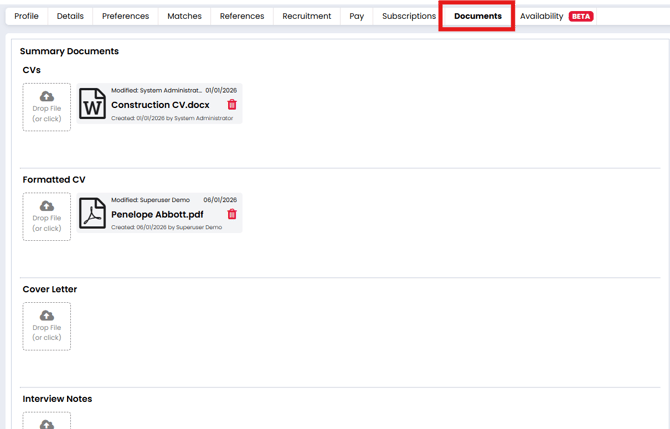
The Documents tab is where you can upload and store any files related to the candidate. This centralises document management and helps teams stay organised during the recruitment and onboarding process.
What the Documents Tab Is For
Use this tab to upload:
-
Compliance documents
-
Candidate-supplied paperwork
-
Signed contracts
-
Right to work evidence
-
Qualification records
…and any other relevant files you want to keep against their profile.
Uploading Documents
To upload a document:
-
Go to the Documents tab on the candidate record.
- Locate the document field you wish to upload a document against.
-
Click Drop File (or click) in the relevant document slot.
-
Select the file from your device.
Uploaded documents will be time-stamped and show who uploaded them.
Good to Know
-
There’s no limit on the number of files you can store.
-
Uploaded documents remain linked to the candidate’s record permanently unless deleted.
-
Files can be viewed, downloaded, or replaced at any time.