
This feature is currently in Beta and is not currently available to all users.
- Configure Shift Confirmed notifications
- Add or update your Shift Confirmed email template
- Confirming Candidates on Shifts
Configure Shift Confirmed notifications
To enable shift confirmed notifications go to Settings > Job Configuration > Temp Workflow > Bookings.
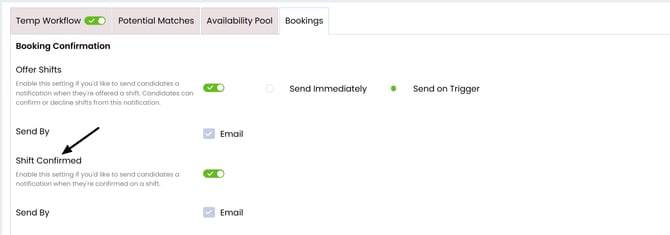
The Send By option is greyed out because email is currently the only notification method available.
- If email settings are already configured, the option appears checked.
- If email settings are not configured, the option appears unchecked and no emails will be sent to candidates.
Add or update your Shift Confirmed email template
The Shift Confirmed workflow uses the corresponding email action available in the activities library:
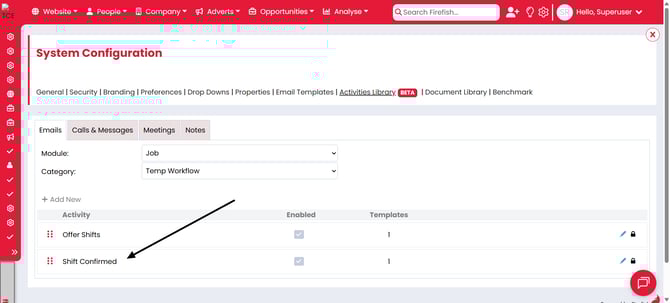
The Shifts Confirmed email has the following default template: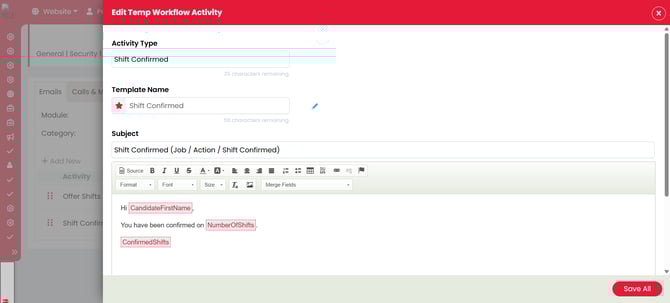
This email:
- Shows the number of shifts a candidate has been confirmed on.
- Shows the details of the shifts a candidate has been confirmed on.
Confirming Candidates on Shifts
When a candidate has Accepted a shift, recruiters can use the Confirm option in the availability pool to confirm shifts in bulk:
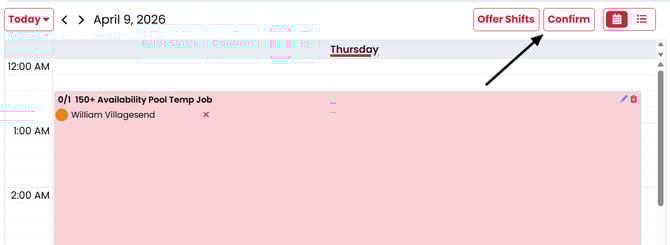
When you select Confirm:
-
A modal opens showing the candidates and shifts that are about to confirm. At this point any candidates you do not wish to be confirmed for shifts can be deselected:
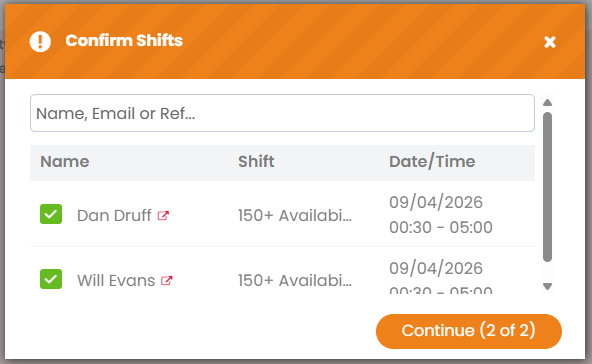
-
Selecting Continue takes you to the Offer Shifts Email modal:
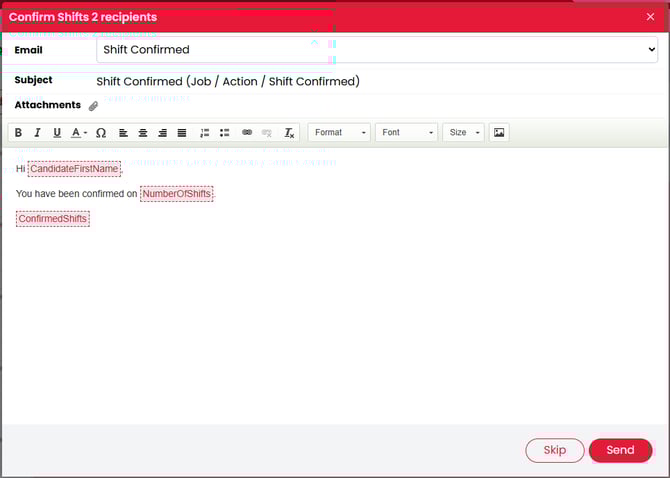
-
Selecting 'Send' sends the emails to the candidates, after which a success modal shows to confirm the emails sent:
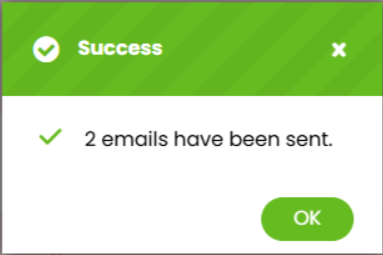
Note: If the same candidate is being offered more than one shift, only one notification is sent when triggered, covering all shifts they have been confirmed on.
You can also confirm a candidate individually by selecting the status indicator and updating their status to Confirmed: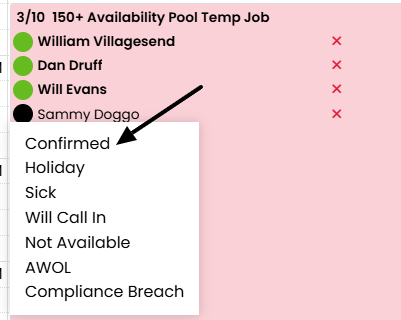
When a candidate is confirmed from the status indicator the email template that has been selected as the default within the activities library will be sent to the candidate.
This allows teams to use the confirmation workflow even if they are not sending the earlier offer notification.