Firefish is more than just a recruitment CRM—it’s a platform designed to align business development with modern recruitment strategies. By combining customer relationship management with applicant tracking, Firefish allows businesses to:
- Identify and Engage Clients: Firefish helps pinpoint potential clients through data-driven insights and outreach tools, streamlining the lead generation process.
- Understand Hiring Needs: Its intuitive interface allows recruiters to document and analyse client hiring requirements in real-time, ensuring alignment with client expectations.
- Match Candidates Effectively: Firefish’s intelligent candidate-matching features reduce time-to-hire, ensuring the right candidates are presented to clients quickly.
Check out our best practices below:
Code Your Data Like a Pro
Firefish's business development tools work best when your data is accurate, detailed, and consistently coded. This article covers five key practices to maximise your results: coding your data, setting hiring preferences, using tags, building hit lists, running email campaigns, and sending speculative CVs.Accurate data coding is essential for unlocking the full potential of Firefish's business development tools. The more detailed your information, the easier it is to refine searches when sending CVs on spec and creating saved searches. This ensures you have the best chance of winning new business and making meaningful connections.
Hiring Preferences Matter
By coding your hiring preferences, you can instantly identify candidates that align with your contacts’ needs using the potential matches tab. This not only streamlines the process of sending speculative CVs but also enhances the effectiveness of your marketing emails to prospective clients. Remember, for a candidate to appear in a contact's potential matches list, their preferences must be accurately filled out, ensuring they’re presented to the right opportunities.
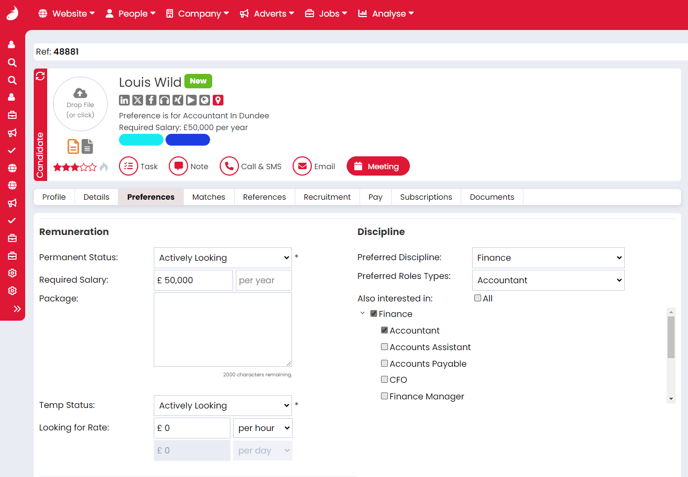
Utilise Tags for Targeted Outreach
Tags are a powerful way to organise your contacts for targeted outreach. By tagging contacts as warm leads, cold prospects, competitors, or potential clients, you can quickly identify who to target and reach out to them efficiently — keeping your business development efforts focused and structured.
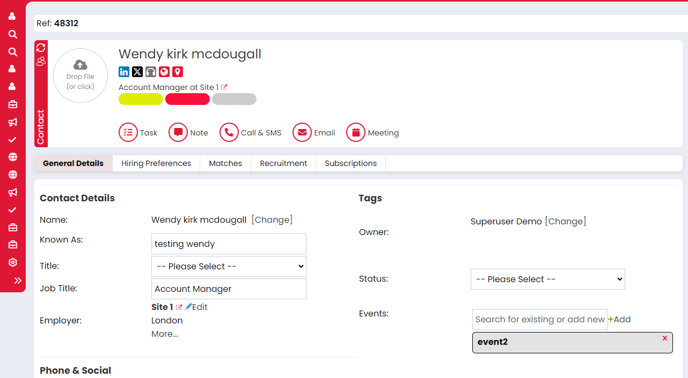
Create Hit Lists for Effortless Follow-Up
Hit lists are fantastic for saving your search criteria, allowing you to quickly reach out to the same prospect clients without re-entering the details every time. You can create as many saved searches as you like, making it easy to tailor your marketing strategy to specific industries. Plus, having lists of hot prospects helps you zero in on businesses that are more likely to convert into success. Want to learn how to create a saved search? Check out our guide here.
Master Email Marketing
Firefish's email marketing tools are built for simplicity and results. You can send targeted campaigns directly to segmented contact lists, track open rates, and follow up with engaged prospects — all from within Firefish. For additional tips on making the most of your email marketing campaigns, don’t miss our blog post on email marketing best practicest!
Impress with Speculative CVs
What better way to win over potential clients than by showcasing your top-tier candidates? Sending CVs speculatively to contacts is a breeze with Firefish, allowing you to send multiple candidates with just a click. Just remember to use the formatted CV tool to ensure each CV looks professional and is easy to read—first impressions matter!
Implementing these best practices not only streamlines your business development efforts but also enhances your brand’s reputation. When you present organized, tailored information to clients, you demonstrate professionalism and efficiency, making it more likely they’ll choose to work with you. Ultimately, these strategies help build stronger relationships and drive greater success for your business.