How do you create a new company?
To create a new company, select Company on the top menu, then select New Company from the drop-down menu that appears.
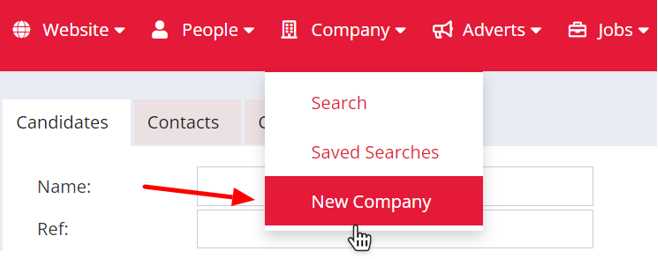
- Select Company on the top menu, then select New Company from the drop-down menu that appears.
- On the New Company summary page, enter the details for the new company. Complete all mandatory fields and add as much additional detail as possible — the more complete the company record, the easier it is to manage relationships and track activity.
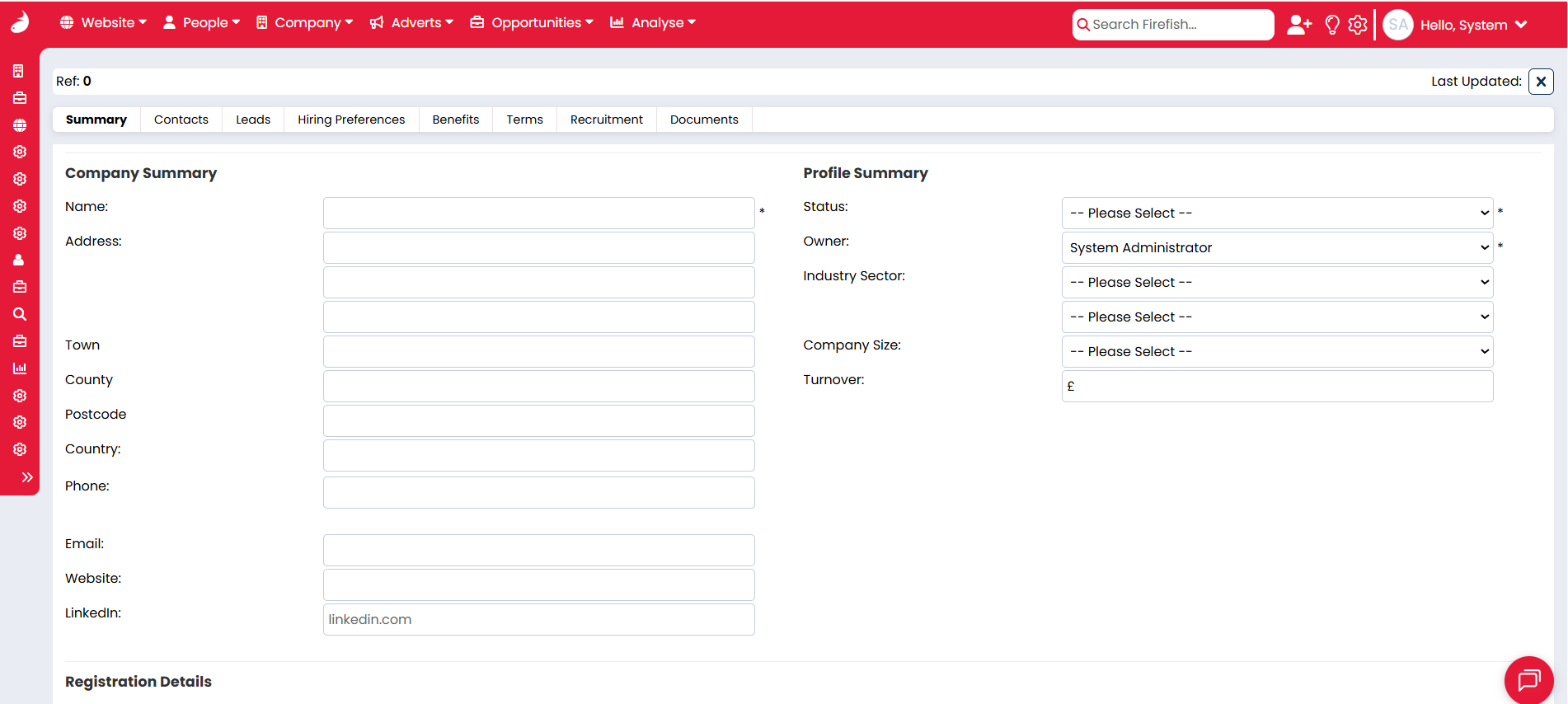
- Click Create.
Some fields may be mandatory and you'll have to complete them before hitting Create, but its always best to add in as much data as possible.
Now you've created a new company, learn about using company records.