The Firefish User Community is where you can share product ideas, vote on suggestions raised by other users, and track their progress from submission through to delivery. By posting or voting on ideas, you will receive updates whenever a status changes and may be invited to participate in Beta testing phases for new features.
At Firefish, we're always keen to hear your feedback on our features as well as any new ideas you have for improving our product.
It's easy to get in touch with us, simply click the lightbulb icon at the top of your system to go to the user community page:

Raising an Idea
To raise an idea, simply start typing in the field which says "Enter your idea".
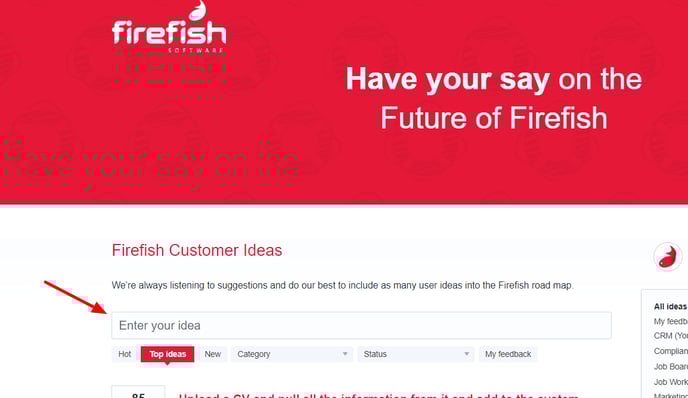
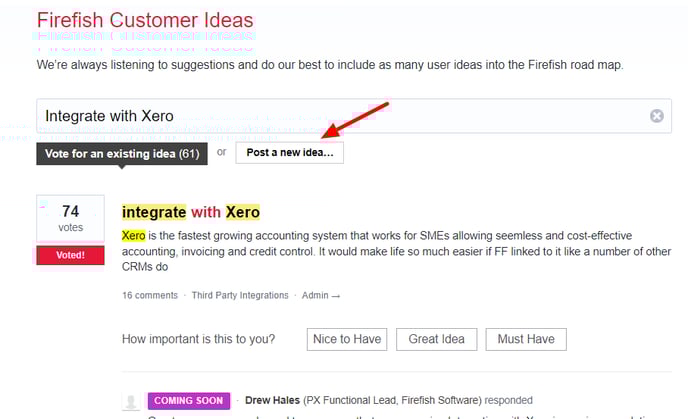
As you begin to type, existing ideas will be suggested based on your keywords. If your idea already exists, you can add a vote or comment.
Or click "Post a new idea" if it's a new suggestion!
What happens when I raise an idea?
If you raise an idea, our Product Team will review all ideas posted on the Community and we aim to respond within 48 hours.
When an idea is responded to, it will be given one of the following statuses:
|
Status |
What does it mean? |
|
Open for voting |
The idea has gathered initial interest and is open for further votes to help prioritise it on the roadmap. An idea in this status needs more than 10 votes within its first year to be considered for development. |
| In Review |
An idea has been moved onto the road map and requirements are being reviewed. |
|
In Development
|
An idea is currently being worked on by our developers. |
|
Closed Beta
|
An idea is currently being tested by a closed group of beta users. |
|
Open Beta
|
An idea is currently in beta and can be tested by any Firefish user. |
|
Not Currently Planned
|
An idea has been closed off as it's not possible/suitable for the product or on idea hasn't received enough votes to be considered, 1 year since being raised. |
|
Delivered
|
An idea has been developed, tested and released to the product. |
Voting for ideas
To vote for an idea, click the Vote button on the left-hand side of each idea.
Users can vote once for as many ideas as they like on the community. Users can either click the vote button, use the importance scale, or use both – regardless of how they interact, it will still only count as 1 vote.
How often are ideas completed?
Many ideas will require a large amount of work including requirements gathering, development and testing. Due to the impact of larger improvements, we tend to release these through a new version of the software, referred to as Beta. We aim to release one key feature every quarter.
However, if an idea requires less development and is something which can be developed in the current product we'll do our best to fast track this through.
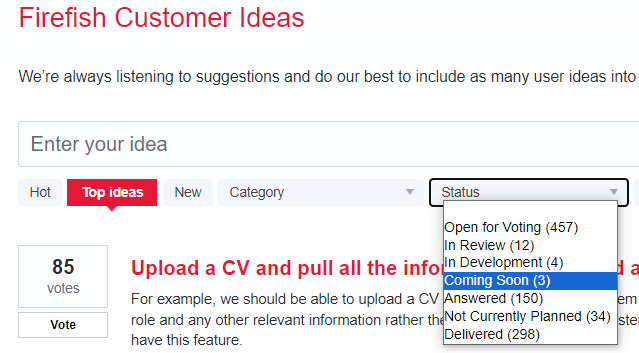
You can view all completed ideas here. Use the Status dropdown to filter ideas by stage — including In Review, In Development, and Coming Soon.
How many votes does an idea need to be considered?
Based on the number of users using Firefish, we will aim to prioritise the top voted ideas. The product team will review all ideas raised on the community.
Alternatively, if your idea is not gaining the votes it needs, you can request to pay to prioritise it. Just contact Support to make this request.
From time to time you may also see ideas with a lower number of votes being completed - as we're making improvements to areas within the system, we'll review other ideas which relate to the same areas and aim to work these into that piece of development, if appropriate.
Now, go and get voting on the Community!