If your KPIs have suddenly disappeared, this article explains why it happens and how to fix it by updating your calendar quarter mode in Firefish.
The Firefish calendar follows standard accounting period practices. The default calendar setting is 4-4-5, which means each quarter is divided into months of 4 weeks, 4 weeks, and 5 weeks respectively. When 1st January falls mid-week, January becomes a 5-week month. This means the calendar can reach the end of the month while you still have a week remaining, causing your KPIs to appear to disappear as the system moves into the next period.
To resolve this, change your calendar quarter mode from 4-4-5 to 5-4-4.
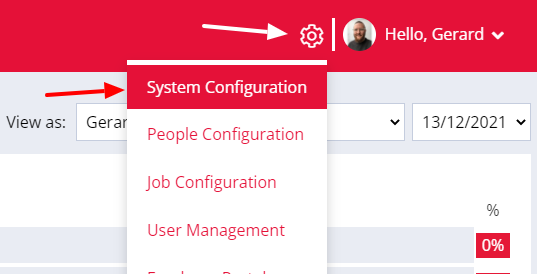
To amend the quarter mode, click the cog icon in the top menu section of the page. Then, select System Configuration from the drop down menu.
In the System Configuration section, click on General and then you will be able to change your calendar quarter mode.
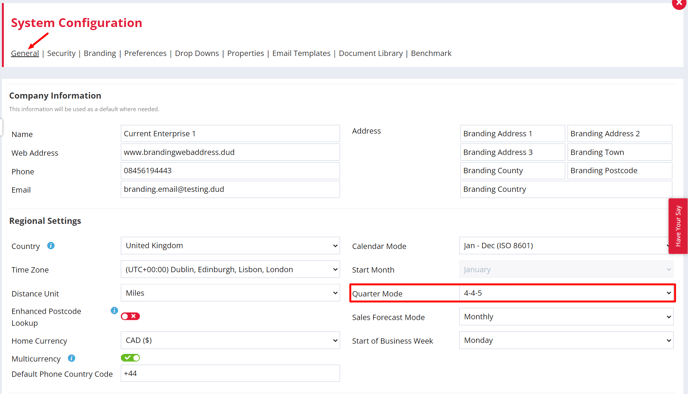
You can also update other calendar settings that affect your KPIs in Firefish, including the start month, sales forecast mode, and the first day of your business week.
Once you have finished changing your settings, scroll down and click Save in the bottom-right corner of the screen.