Candidate Record
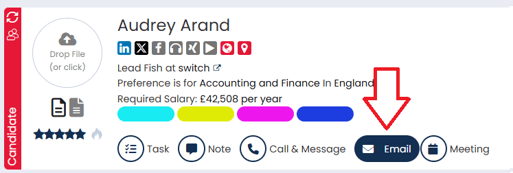
You can email candidates individually via the header on their record.
- Select Email.
- Choose which Activity Type and Template you would like to use, or select None on the template if you want to start from scratch.

- You can then amend the email as you see fit. If you wish, you can select AI Enhance to have the email rewritten for you.
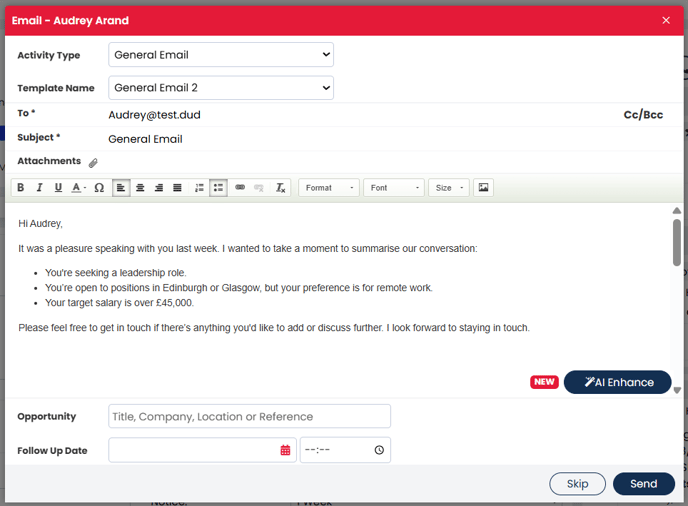
- You can associate the email with a particular job by searching within the Opportunity field.
- Set a Follow-Up Date if required.
- Send.
Bulk Email
If you wish to email multiple candidates the same email all at once then you can send a bulk email via a search or Talent Pool.
- Run a search using any criteria that would link the candidates together (i.e. you could search based on all candidates owned by you, or all candidates looking for a certain role type in a particular location, etc).
- Alternatively, you can open or create a Saved Search or Talent Pool.
- Tick all the people you'd like to email using the boxes to the left of each candidates name.
- Press the Email button (either at the top of bottom of the page).
- You will be provided a list of anybody who won't receive the email and why. Once you've checked the list, press Continue.
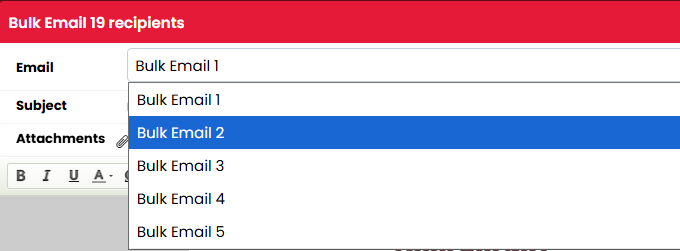
- Choose which Email Template you would like to use.
- You can then amend the email as you see fit.
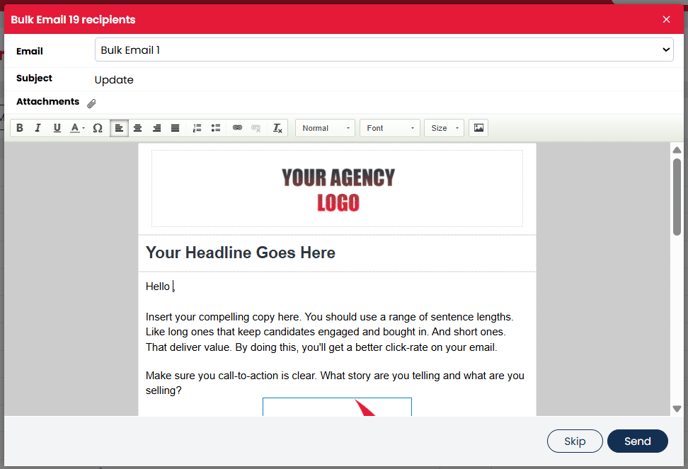
- When you're ready, hit Send.
Job Record
If you wish to email an individual candidate or multiple candidates directly from a job, and have that email automatically logged against that job, then you can:
- Locate the candidate(s) on the job workflow.
- Tick the box to the left of the Candidates name(s).
- Press the Email button.
- Set a follow-up date if required, and/or press Continue.
- Amend the email as you see fit.
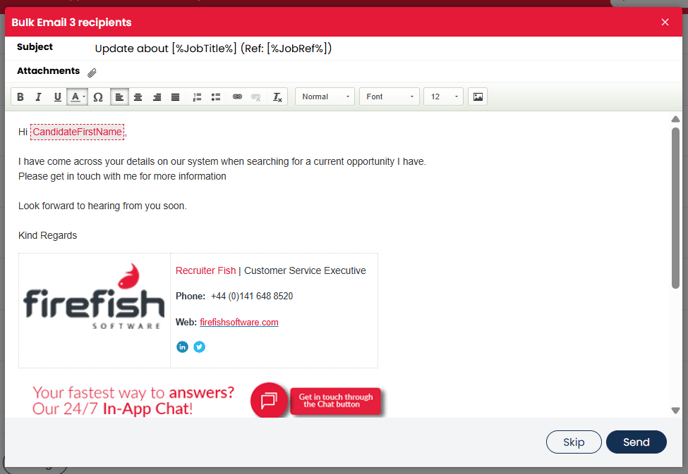
- When you're ready, hit Send.
You can only email multiple candidates all at once from a Job if they are all under the same tab on the same job. For example, you can email all candidates under Employer Interview on one job, but if your candidates are spread across Considering, CV Sent and Employer Interview, then you would need to repeat the above steps three times, one for each stage of the workflow that the candidates are spread across.