Sending a CV on spec allows recruiters to introduce candidates to hiring managers, even when there’s no active job, helping to generate new opportunities, build client relationships, and position themselves as proactive partners. It’s especially useful for showcasing in-demand candidates, keeping them engaged, and prompting clients to consider talent-led hiring. During quieter periods, it also supports ongoing business development and can uncover unadvertised roles.
- Via a Candidate Record
- What automatically attaches to these emails?
- Update your CV on Spec Templates
Via a Candidate Record
To send a specific Candidate's CV to a specific Contact:
-
Go to the Candidate's record.
-
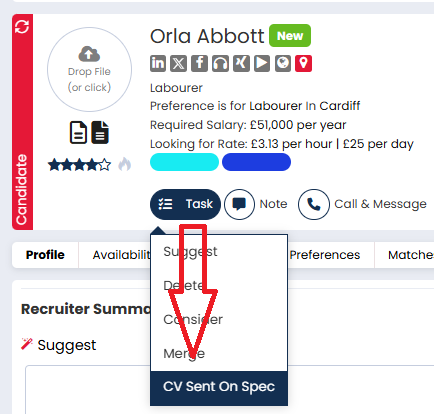
Click on the Task button and select CV Sent On Spec.
-
In the email modal, enter the Company name and select the Contact you want to spec the CV to. If you wish you can also set a follow-up date and/or update the candidate's star rating.
- Make any changes you wish to the email.
-
Click Send Email when you're ready.
Via Candidate Potential Matches
To send a single Candidate’s CV to multiple Contacts:
-
Go to the Candidate’s record and click the Potential Matches tab.
-
Select the Contacts you want to send the CV to.
-
Click Send CV.

-
The email modal will alert you if any Contacts are excluded due to Marketing Preferences or invalid email addresses.
- Make any changes you wish to the email body.
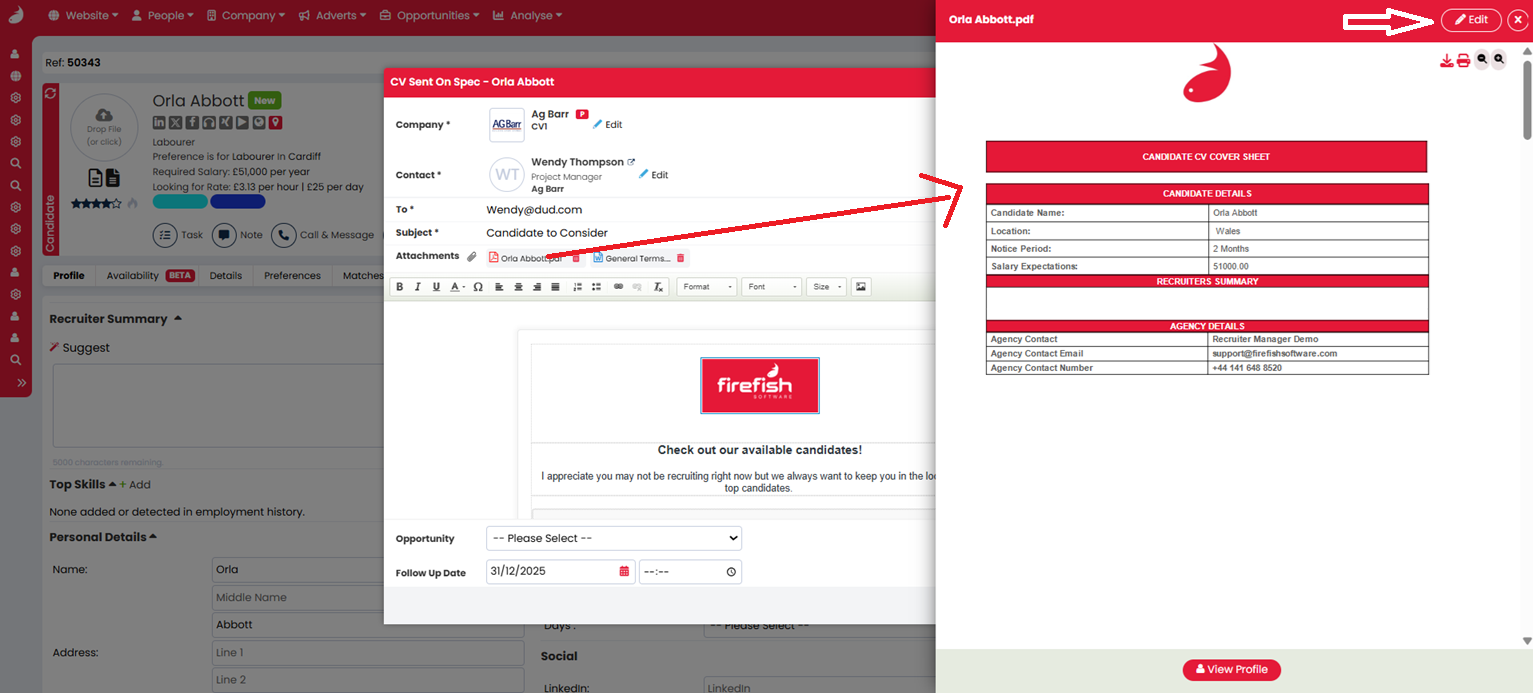
- If you wish, you can click the attached documents to view them before sending. If any need to be amended, just click the edit button at the top of the document.
- Click Send Email when you're ready.
Via Contact Potential Matches
To send multiple Candidate CVs to a single Contact:
-
Go to the Contact’s record and open the Potential Matches tab.
-
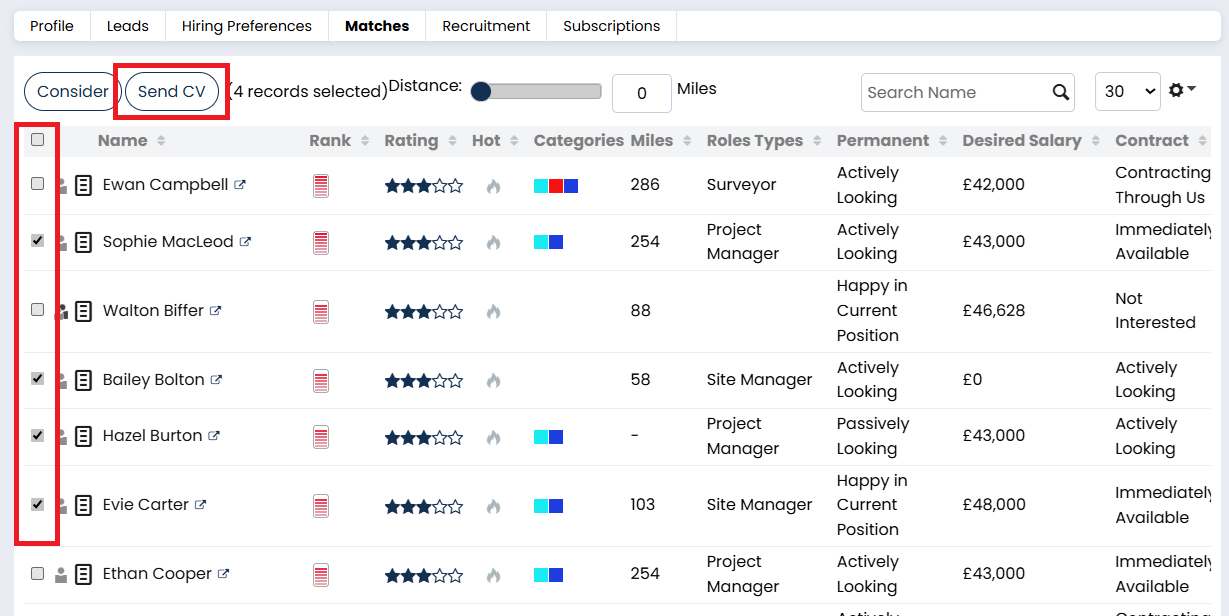
Select the Candidates you want to send.
-
Click Send CV.
- Make any changes you wish to the email body.
- If you wish, you can click the attached documents to view them before sending. If any need to be amended, just click the edit button at the top of the document.
- Click Send Email when you've finished.
Via a Contact Search
To send multiple Candidates’ CVs to multiple Contacts:
-
Perform a Contact search with the filters you need.
-
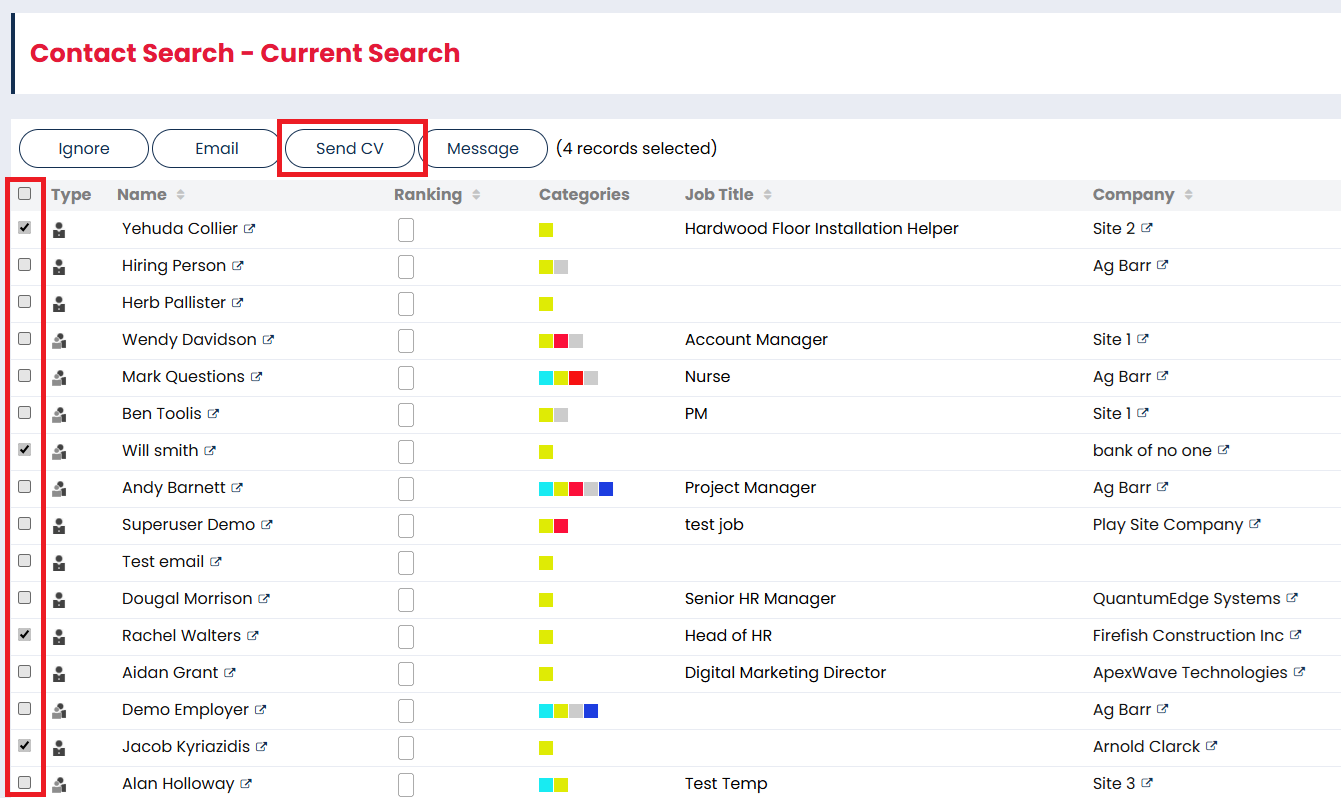
Select the desired Contacts.
-
Click Send CV.
-
You will be provided with a list of any contacts who won't get the email due to their marketing preferences or invalid email addresses.
-
Select the Candidates to spec
-
Click Continue to Send.
-
Personalise the email and update the Subject line.
-
Click Send Email.
What automatically attaches to these emails?
All Send CV on Spec emails will automatically attach your terms, and the formatted CV of the candidate.
- Where there is no formatted CV available, the original CV will attach.
- Where neither are available, only the terms will attach.
These documents can be clicked while you have the email open at the point of editing before you send. When you do this, you can view the attachments, and you can even amend them if you click Edit at the top of the document.