Manage compliance directly from a job record to help ensure your recruitment process meets your organisation's requirements. This article explains how to review company compliance statuses, understand how compliance affects permanent and contract job workflows, and manage job authorisation so you can progress vacancies with confidence.
Company Compliance Statuses
Each job record has a company compliance status lozenge which provides the latest compliance information for the company associated with the job.
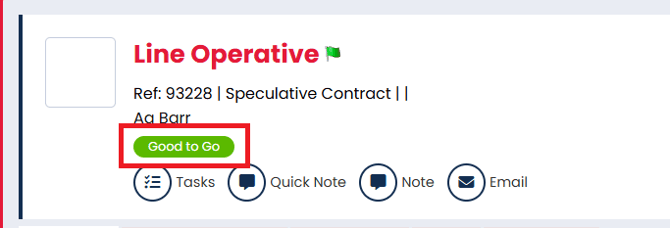
Clicking on the icon opens a side panel where compliance details can be viewed and edited.
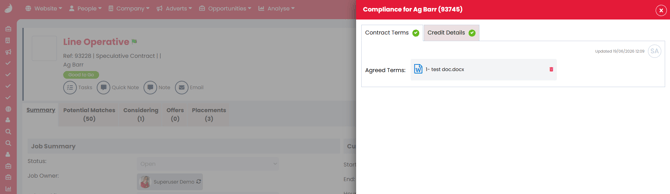
The available status' depend on whether Job Authorisation is enabled or disabled in the Permanent Workflow or Contract Workflow settings.
When Job Authorisation is Disabled
By default, job authorisation is disabled, and the following compliance statuses are available:
- Incomplete - Incomplete mandatory company details
- Bad Credit - The company's Credit Status is set to "Bad Credit"
- Good to Go - All mandatory company details are completed
Company details can be enabled, disabled, or made mandatory in Properties Settings.
When Job Authorisation is Enabled
If Job Authorisation is enabled, additional statuses and restrictions apply:
- Requested - Job created; email sent to Compliance User for authorisation
- Users can only review matches and move jobs to the selected stage
- Incomplete - Compliance User reviewed details but some are still missing
- Users can only review matches and move jobs to the selected stage
- Bad Credit - The company’s Credit Status is set to "Bad Credit"
- Users can only review matches and move jobs to the selected stage
- Completed - All mandatory company details are complete
- Users can progress candidates through the full workflow
Until the company compliance status is Completed, users can only view potential matches and progress jobs according to the Permanent Workflow or Contract Workflow compliance settings.
Job Authorisation Notifications
When a user creates a new permanent job with job authorisation enabled:
- The primary Super User or Compliance User listed in Agreed Terms and/or Credit Details settings is sent an email.
- Email templates can be customised via Settings > System Configuration > Email Templates:
- Agreed Terms - Jobs > General > Job Authorisation
- Credit Details - Company > Credit Details Authorisation
- A To-Do List item is created for the primary Super User or Compliance User:
- Agreed Terms - Compliance > Job Authorisation
- Credit Details - Company > Compliance Authorisation
When a user creates a new contract job with job authorisation enabled:
- The primary Super User or Compliance User receive an email.
- The email template can be customised under Jobs > General > Job Authorisation.
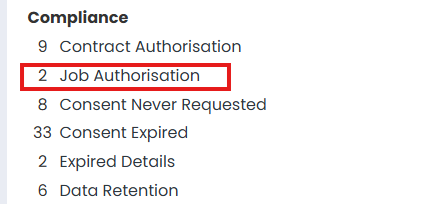
- Firefish creates a To-Do List item under Compliance > Job Authorisation.
Compliance Side Panels
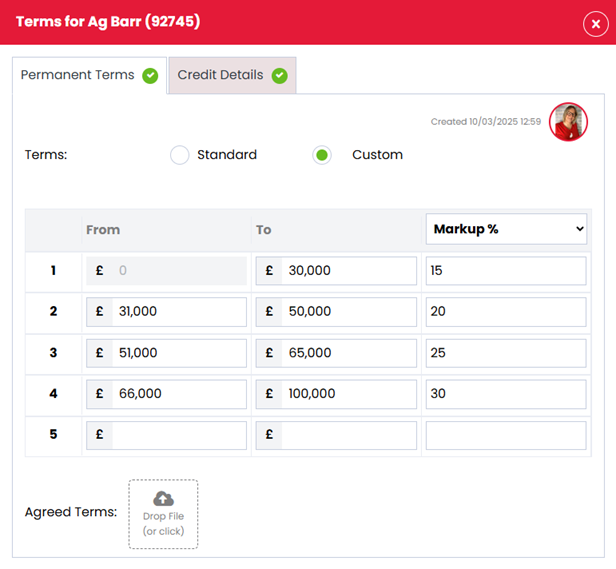
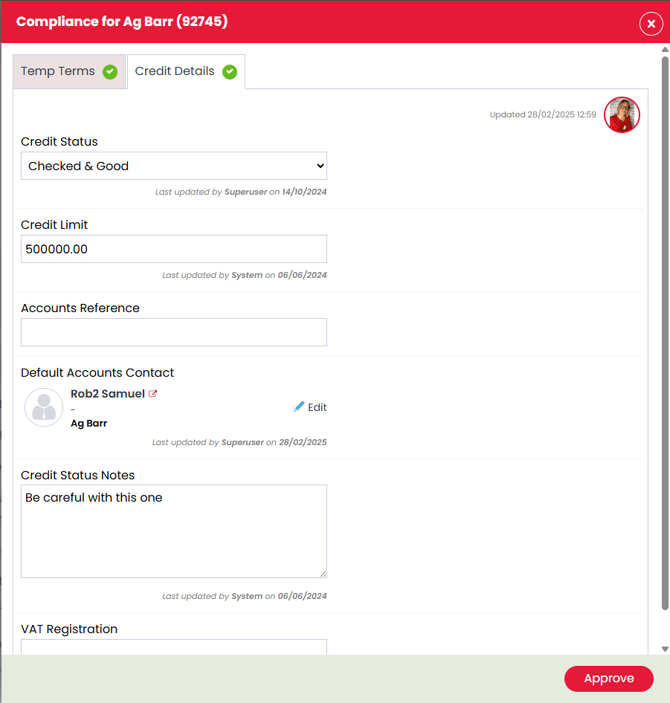
Clicking a compliance status lozenge opens a side panel showing compliance details. Super users can manage the displayed fields in System Configuration > Properties:
- Disabled fields will not appear.
- Mandatory fields are marked with a red asterisk.
Permanent Workflow
- Changes in the Permanent Terms side panel affect only that job.
- Changes in the Credit Details side panel affect company-wide compliance.
Contract Workflow
- Changes in the Contract Terms side panel affect company-wide compliance.
- Changes in the Credit Details side panel affect company-wide compliance.
Activating Permanent Job Workflow Authorisation Settings
To activate authorisation on the permanent workflow you should:
- Go to the settings cog
- Select Job Configuration
- Choose the Permanent Workflow tab across the top
- Authorisation settings are available under:
- Permanent Workflow tab
- Offers tab

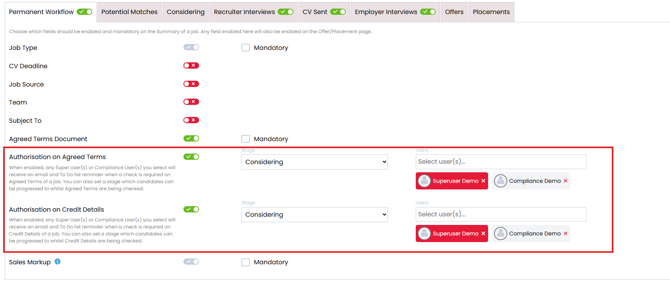
From the Permanent Workflow tab you can activate:
-
Authorisation on Agreed Terms - When enabled, any Super User(s) or Compliance User(s) you select will receive an email and To Do list reminder when a check is required on Agreed Terms of a job. You can also set a stage which candidates can be progressed to whilst Agreed Terms are being checked.
- Authorisation on Credit Details - When enabled, any Super User(s) or Compliance User(s) you select will receive an email and To Do list reminder when a check is required on Credit Details of a job. You can also set a stage which candidates can be progressed to whilst Credit Details are being check
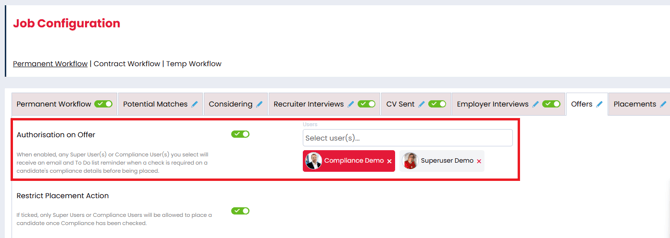
From the Offers tab you can activate:
- Authorisation on Offer - When enabled, any Super User(s) or Compliance User(s) you select will receive an email and To Do list reminder when a check is required on a candidate's compliance details before being placed.
Activating Contract Job Workflow Authorisation Settings
To activate authorisation on the contract workflow you should:
- Go to the settings cog
- Select Job Configuration
- Choose the Contract Workflow tab across the top
- Authorisation settings are available under:
- Permanent Workflow tab
- Offers tab
- In Contract tab

From the Contract Workflow tab you can activate:
-
Authorisation on Agreed Terms - When enabled, any Super User(s) or Compliance User(s) you select will receive an email and To Do list reminder when a check is required on a company’s compliance to authorise a job.
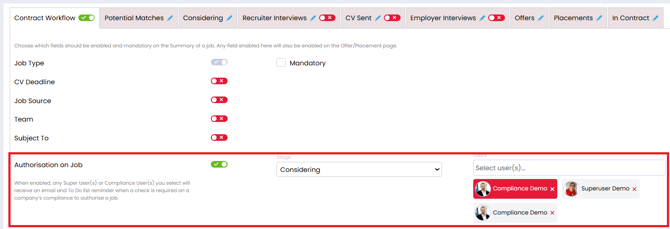
From the Offers tab you can activate:
- Authorisation on Offer - When enabled, any Super User(s) or Compliance User(s) you select will receive an email and To Do list reminder when a check is required on a candidate's compliance details before being placed.
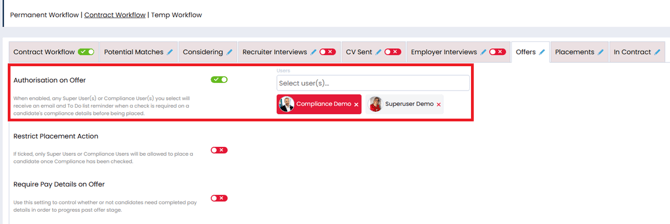
From the In Contract tab you can activate:
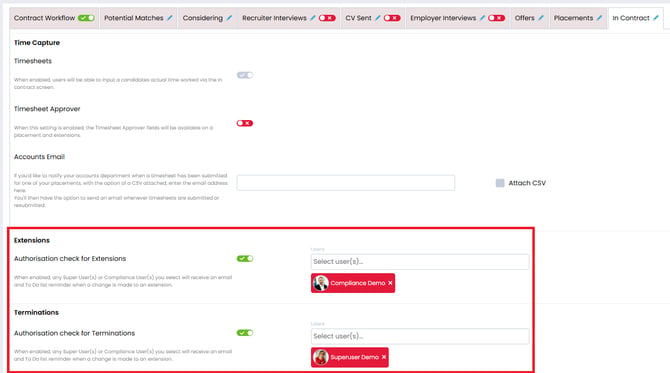
- Authorisation check for Extensions - When enabled, any Super User(s) or Compliance User(s) you select will receive an email and To Do list reminder when a change is made to an extension.
- Authorisation check for Terminations - When enabled, any Super User(s) or Compliance User(s) you select will receive an email and To Do list reminder when a change is made to an extension.