November Release Overview:
In November, we introduced a range of updates designed to give you clearer visibility, smoother workflows, and more flexibility across Firefish, including:
✅ Enhanced reporting – better candidate activity tracking and improved Job Workflow reporting (including deactivated users).
✅ New Contracts Out Calendar View – a visual way to manage contracting placements alongside the existing List View.
✅ Smarter contract jobs – automatic Hours Per Day calculation based on Start/End times.
✅ New integrations – 3R (Pay & Bill), VoxFlo, OneUp Sales, plus support for Reed promo codes.
✅ Expanded country options – Brazil added to System Configuration and updated country options for Indeed.
✅ Improved CRM visibility – full tracking and reporting of reconfirmed placements in activity streams and dashboards.
✅ More customisation – 10 new custom text fields for Contract Workflow to capture and report on the data that matters most to you.
Read on for further details on all November releases.
Analytics
Reports Dashboard improvements
Version(s): Basic/Professional/Enterprise
Candidate reports now include a new option called Last Activity Date - this matches the Updated Date that you see at the top of the candidate record.
The Job Workflow dataset reports (e.g. Channel and Source), now include deactivated users when requested.
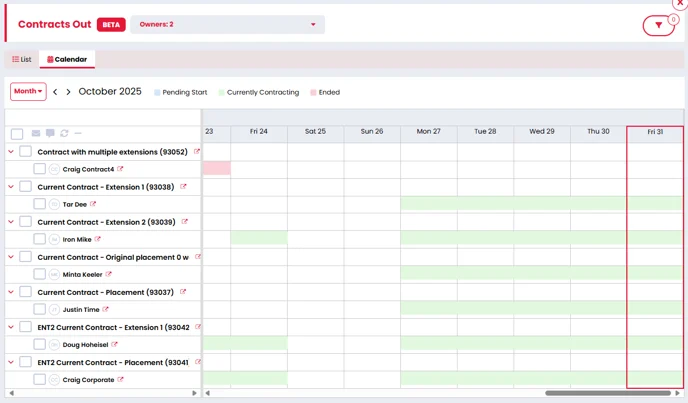
Contracts Out – New Calendar View
Version(s): Professional/Enterprise
We’ve introduced a new Calendar View to give you a clearer, more visual way of managing Contracts Out. This sits alongside the existing List View, giving you two ways to view your placements.
While the List View shows all candidates currently contracting, along with detailed information, the Calendar View lets you step back and see the bigger picture. In the Calendar, you can select your own date range and see every placement that falls within that period.
Both views share the same filters and support the same actions, so you can work consistently no matter which layout you prefer.
In the Calendar, each placement is colour-coded to show whether it’s pending start, currently contracting, or ended, and you can switch between Day, Week, Work Week, and Month modes depending on the level of detail you need.
Contract Jobs – Hours Per Day Now Calculated Automatically
The Hours per Day field on contract jobs is now calculated automatically from the Start Time and End Time entered.
Because this value is system-calculated, the Hours per Day field is now read-only, and on both the Offer and Placement screens, the Start Time and End Time fields are now mandatory.
We’ve also moved the ‘Number of hours in a day’ setting to System Configuration > General (previously in Job Configuration > Contract Workflow). This setting is still used for:
- Job and Advert searches when calculating candidate daily rate preferences
- Job Alerts
- Converting hourly pay rates into daily rates in the Candidate profile header
Find out More:
Integrations
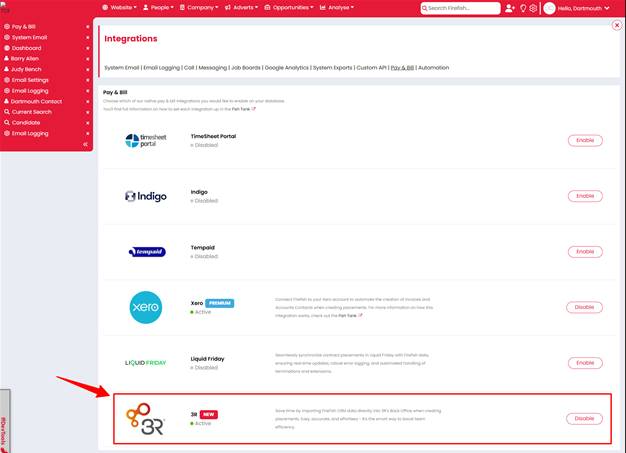
3R Integration
Version(s): Basic/Professional/Enterprise
3R integration has been added to the “Pay & Bill” settings page. The integration will generate a Client ID and Secret for our customers to connect Firefish to their 3R profile.
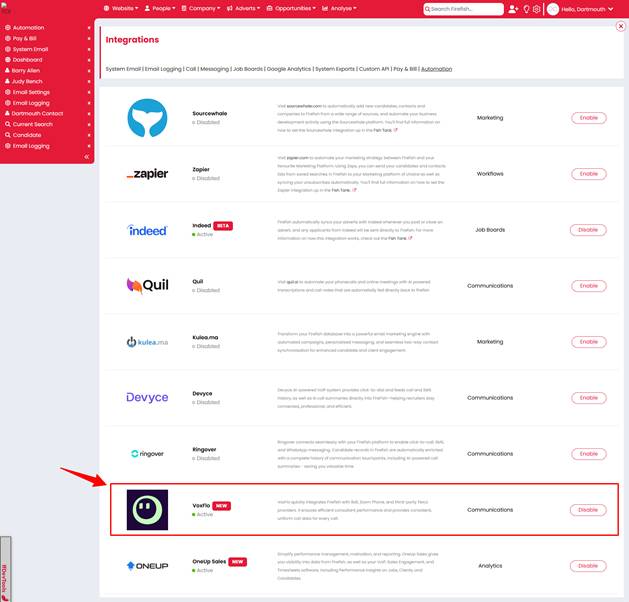
VoxFlo Integration
Version(s): Basic/Professional/Enterprise
VoxFlo integration has been added to the “Automation” settings page. The integration will generate a Client ID and Secret for our customers to connect Firefish to their VoxFlo profile.
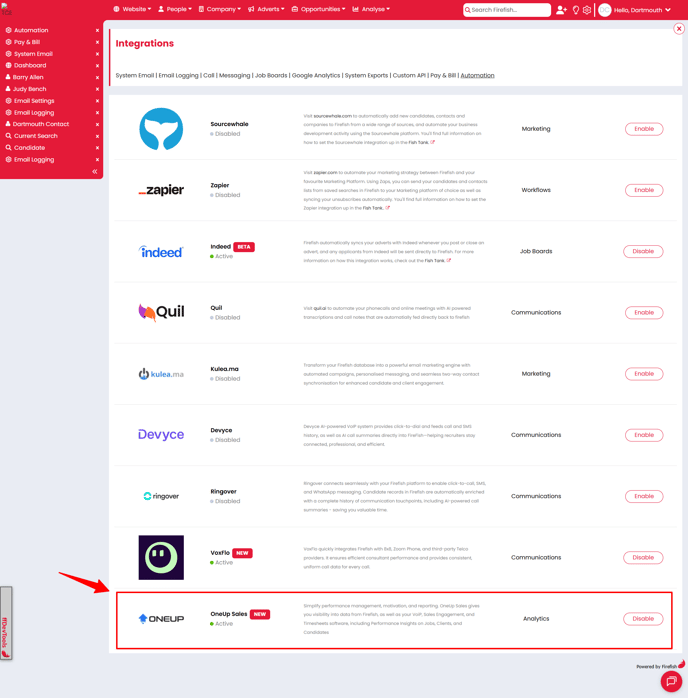
OneUp Sales Integration
Version(s): Basic/Professional/Enterprise
OneUp Sales integration has been added to the “Automation” settings page. The integration will generate a Client ID and Secret for our customers to connect Firefish to their OneUp Sales profile.
Brazil Added to Indeed and System Configuration Country Dropdown
Version(s): Basic/Professional/Enterprise
We’ve added Brazil to the list of countries that are selectable within the “Country” dropdown found within the System Configuration settings page.
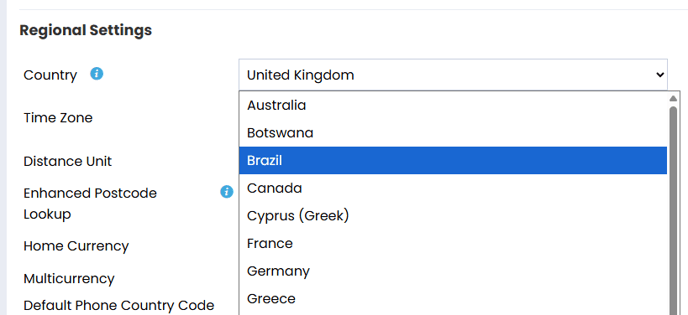
Clients who have Indeed enabled will also be able to select Greece within the Indeed settings > Default Country dropdown or “Indeed Country” dropdown on an advert.
Find out More:
Integrations
Adding New Product to Reed
Version(s): Basic/Professional/Enterprise
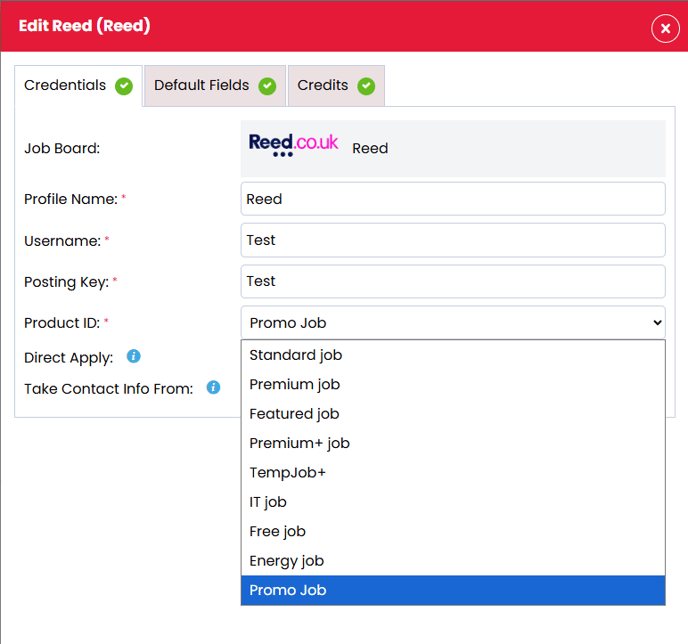
We have updated the Reed Product Options with "Promo Code" - this is a discretionary code used by Reed for their job board advert promotions.
Find out More
CRM
Placement Reconfirmed Activity Tracking
Version(s): Basic/Professional/Enterprise
When a placement is reconfirmed, the action and related email now appear across activity streams and reports, giving users full visibility of updates.
- A new ‘Placement Reconfirmed’ action now shows in the Recent Activity stream for the Job, Candidate, Contact, and Company records.
- Updated candidate placement emails sent during reconfirmation are also added to the activity stream.
- The ‘Placement Reconfirmed’ action can be reported on in the Reports Dashboard
Previously, reconfirmed placement emails didn’t appear in the activity stream, making it harder to track communication. This update ensures all reconfirmed placement actions and emails are fully visible and reportable.
New Contract Workflow Custom Text Fields
-
Enable them for Job Summary and Job Offer, with optional mandatory settings.
-
Use them as email merge fields across all job, offer, placement, extension, and termination templates.
-
Add them as columns in the Reports Dashboard (Job Summary dataset).
-
Access them through the Get Custom Job Fields API endpoint.