What is OneUp Sales
OneUp Sales is a performance management and gamification platform designed to help recruitment teams stay engaged, motivated and focused on the right activities. By turning Firefish data into live goals, leaderboards and real-time recognition, OneUp makes performance visible and celebrates success as it happens.
With the new Firefish and OneUp Sales integration, your Firefish data becomes the fuel for engagement. Activities logged in Firefish can be transformed into targets, dashboards and live office displays, helping you recognise effort, reward results and drive the behaviours that lead to more placements.
OneUp is particularly powerful for teams using multiple tools across their tech stack. It can report across different platforms in one place, allowing you to see how activity in Firefish correlates with performance elsewhere – all without adding extra admin for consultants or managers.
Quick Jump To
How to Set Up and Use The Integration
Available Features
The Firefish and OneUp Sales integration unlocks a wide range of features designed to improve visibility, motivation and accountability:
- Live performance dashboards
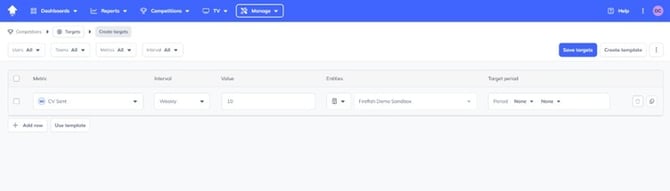
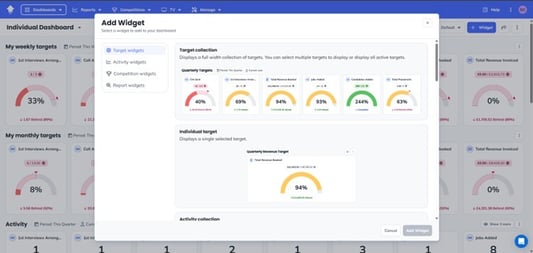
Build dashboards in OneUp to track Firefish activities and outcomes in real time, with flexible date ranges and user or team views. - Goals and targets powered by Firefish data
Set targets based on your activities in Firefish. Targets can be applied to individuals, teams or the whole business. - Gamification and engagement
Turn everyday Firefish activity into progress tracking, leaderboards and friendly competition that encourages consistent data logging. - Automated recognition and celebrations
Celebrate wins and milestones instantly using Firefish data, helping consultants feel recognised for their efforts as soon as they happen. - OneUp TV
Share live performance and achievements across your office on TV screens, keeping goals and successes front of mind for everyone.
How to Set Up and Use the Integration
Getting started with the Firefish and OneUp Sales integration is quick and straightforward.
Step 1: Generate your Firefish credentials
In Firefish, head to Settings>Integration>Automation and click the Enable button for OneUp Sales.

Step2: Share Credentials with OneUp
Copy the client ID and Client Secret and then hit the save button.
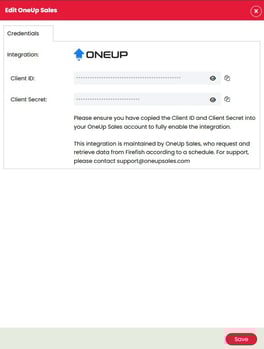
Send your ID and secret to OneUp Sales. Their team will handle the connection for you, making setup simple and hassle-free.