The General tab within People Configuration controls several automation settings that affect how candidate records are labelled, managed, and reviewed for compliance.
These settings determine how long candidates are marked as New, how long they remain Hot, and how archived candidates appear in the Data Retention To-Do List. You can also control whether candidates who have not accepted GDPR terms are excluded from email campaigns.
Accessing General People Configuration Settings
-
Click the cog icon in the top menu section of the page.
-
Select People Configuration from the drop down menu.
- You will default to the correct tab which is General.
Automation Settings
Within the General Section of your People Configuration Settings, there are four automation settings which can be edited.
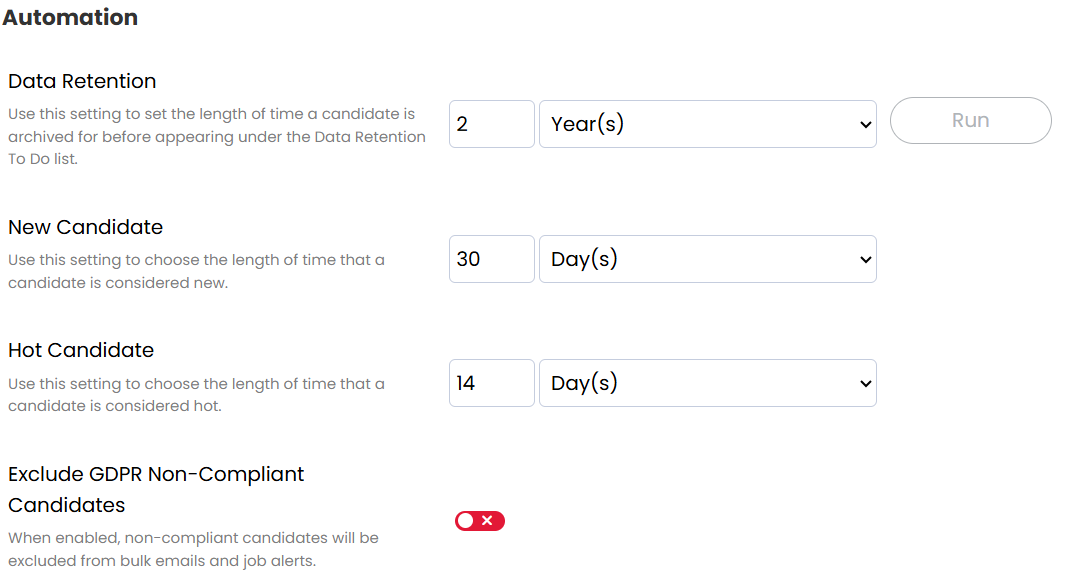
Data Retention
The Data Retention setting controls how archived candidates appear in the Data Retention To-Do List.
Archived candidates remain visible in the Data Retention To-Do List until they reach the selected retention period. Once this period has passed, they will appear in the list so that users can review whether the candidate record should be retained or permanently deleted.
This helps ensure your database remains compliant with data protection regulations while still allowing users to review older records before removal.
New Candidate
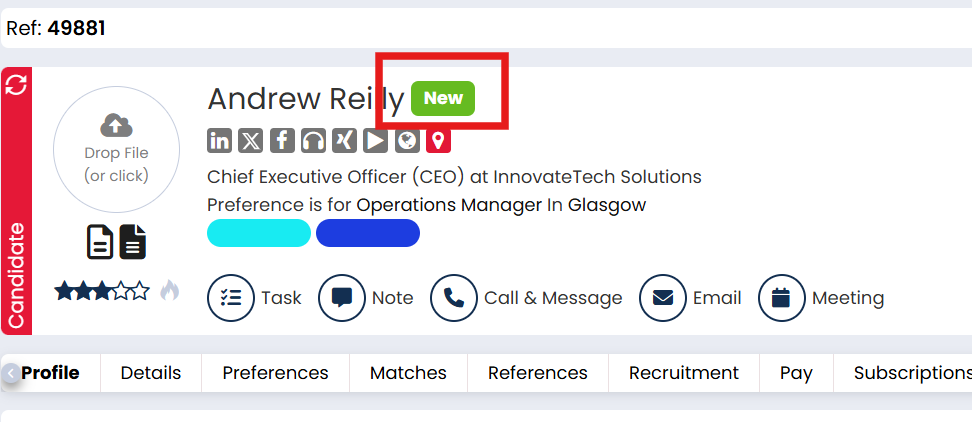
The New Candidate setting determines how long a candidate is marked as New after being added to the system.
While a candidate is within this timeframe, the New label will appear on their record and in candidate search results. This helps recruiters quickly identify recently added candidates in the database.
You can adjust the duration to suit your team’s workflow and how long new candidates should remain highlighted.
Hot Candidates
The Hot Candidate setting controls how long a candidate remains marked as Hot after being given this status.
Hot candidates are typically strong or high-priority candidates that recruiters want to surface quickly when searching the database. The setting determines how long the Hot indicator remains active before automatically expiring.
Adjusting this duration helps ensure that the Hot label continues to represent candidates who are currently relevant for roles.
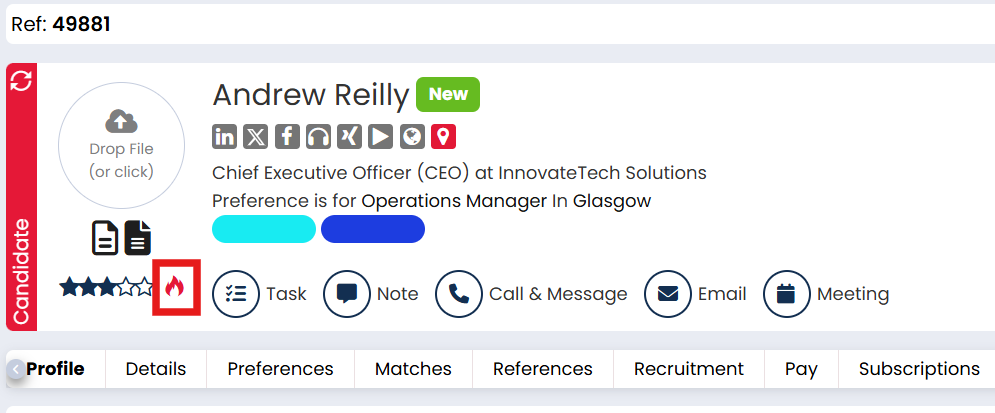
You can then use the Hot status to create searches of candidates who are immediately available or of special interest.
Exclude GDPR Non-Compliant Candidates
The Exclude GDPR Non-Compliant Candidates setting prevents candidates who have not accepted your GDPR terms from being included in email campaigns.
When enabled, candidates who have not provided GDPR consent will automatically be excluded from marketing communications sent through Firefish. This helps ensure your recruitment marketing activity remains compliant with data protection regulations.