Job Workflows
Temp Job Shift Cards UI Update
The shift cards on Temp jobs have been updated to make the calendar view clearer and easier to use.
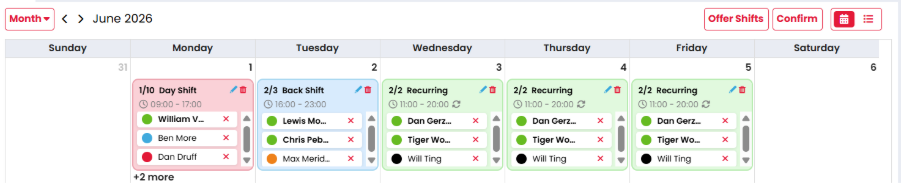
This is a visual update only. Shift statuses, colours, candidate ordering, and existing behaviours remain unchanged, including offered and confirmed shifts. There are no changes to the List view.
Fish Tank Article
Default Times for Temp and Contract Jobs
A new Default Time setting is now available in System Configuration > General > Calendar. This allows default start and end times to be set for Temp and Contract jobs.
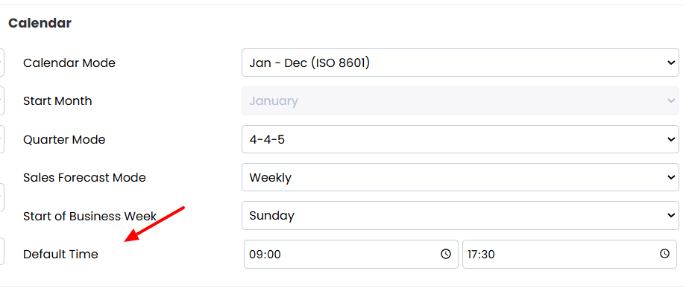
When a user performs the following actions, the default values will be populated from these settings:
-
Creates a new Temp or Contract job
-
Adds a shift from the Temp job calendar view
-
Adds a status from the Temp job list view, or candidate availability tab
All clients will be updated with a default time of 09:00 to 17:30 and this will work on jobs/shifts/statuses going forwards.
A future update will introduce company-level default time settings, allowing these times to be configured per company.
Fish Tank Article